


allaboutbuzz
-
Posts
1,588 -
Joined
-
Last visited
-
Days Won
422
Posts posted by allaboutbuzz
-
-
8 minutes ago, Emporium said:
Mine is still on 1.0.98. Box has been on for a while. Checked for updates from the app menu options under settings->Check updates. And also checked from home screen, settings menu "Check for updates" and in both places I get message that "there are no new updates available for your box"
Ok, did you try a reboot?
-
On 1/24/2025 at 2:36 PM, allaboutbuzz said:
Few notes for Open VPN based on feedback we got
- We have to show the text box when typing in username and password
- We have to support more characters, as one tester used expressvpn and could not type in the 25 characters
Will fix this up on our next update, just wanted to mention it in case anyone noticed.V1.0.101 Buzz App was sent on Friday
To resolve the VPN Issues I mentioned.
-
 1
1
-
-
53 minutes ago, dishuser said:
now I have to figure out which configuration to use...lol
withe my laptop it was easy as I just used the linux mint config
We have to fix one configuration issue as well. So you might run into issues
These fixes should be sent today or Monday
And we use Debian Linux OS.
-
1
-
 2
2
-
-
On 1/18/2025 at 11:46 AM, allaboutbuzz said:
NEW BUZZ Firmware Version 20250118000000
New Buzz 6 APP UPDATE V1.0.98
Jan 18th, 2025
Firmware Changes:
- Updated Player
- Added HDMI Hot Plug Support
- Fixed Power off in Standby on some TVs
- Added Background OTA Support
Buzz 6 V1.0.98
Changes:- Added YouTube Icon to the Home Screen (Its a placeholder for now, it will work on a future update)
- Added Open VPN Support to Settings
- Bug Fixes
Leave Feedback below
ThanksFew notes for Open VPN based on feedback we got
- We have to show the text box when typing in username and password
- We have to support more characters, as one tester used expressvpn and could not type in the 25 characters
Will fix this up on our next update, just wanted to mention it in case anyone noticed.-
2
-
1
-
-
3 minutes ago, Emporium said:
Took the first update and it reboot immediately.
less than 20 seconds later, told me another update was available. Took the update, but then after downloading, and doing it's thing, there was no visible message that it was doing something in the background (I think there should be something at least to ensure users don't try to unplug at this point). then several seconds later it rebooted on it's own.
Now App shows 1.0.98. And youtube icon placeholder is on the home screen. Oh yes, and the VPN option is on the settings screen.
Thnx
Yes we automatically need it to reboot, it was built into our scripts
Its only for users like yourself that were stuck on older updates.
And good to hear that you're now running the latest update
-
3
-
-
16 hours ago, jets said:
So what would cause one user to freeze but not the other? Changing from automatic to the one seemed to fix it. I actually told them to switch to HLS now.
Thanks for edit.
Changing stream format would change the type of stream the server sends
so yes HLS may be freezing but TS isn't
And auto by default uses HLS first, but if a server doesn't have HLS it will automatically use the next available formatIn your first post you said that freezing happened on different TV brands, which doesn't make sense. As a TV brand has nothing to do with channels freezing
-
1
-
-
On 1/20/2025 at 1:18 PM, allaboutbuzz said:
For those stuck on older updates
We will have to add a fix to our next update, so the update that follows that one fixes this issue and gets you up to date.
A new OTA update was just sent today
Anyone stuck on older updates, will get a second update to follow within a few hours after the first one
It should bring you up to the latest version of Buzz 6 App etc.
Try it and let me know your feedback
Thanks
-
3
-
1
-
-
59 minutes ago, jets said:
So my neighbour was having video issue with freezing on live TV (wicked). This is only happening on certain TV brands, one being Sony the other LG both smart. All of his other neighbour with different brand are fine.
We tried switching video format in configuration from Automatic to TS and it works well now. Question is should I tell him to run HLS or TS. I am wondering if it's certain TV's don't work well with the Automatic feature?
Stream format has nothing to do with the brand of TV you're using
-
3
-
-
On 1/5/2024 at 5:18 PM, Ryu said:

Updated the Image with a newer one
Thanks-
5
-
-
20 hours ago, Emporium said:
I just took the update a few minutes ago, it rebooted and mine is the same as yours. Settings says 1.0.51 yet app menu says 1.0.98. No VPN option in the settings screen either.
And I do not see any youtube icon either.
For those stuck on older updates
We will have to add a fix to our next update, so the update that follows that one fixes this issue and gets you up to date.
-
4
-
-
36 minutes ago, dishuser said:
What does your system information say?
-
3 hours ago, AllBlaxx said:
Player feels just that little bit snappier. I haven't loaded up a VPN config just yet but I'll report back when I do
Great
You can grab the VPN configuration from USB. Its the easiest way
-
2
-
-
NEW BUZZ Firmware Version 20250118000000
New Buzz 6 APP UPDATE V1.0.98
Jan 18th, 2025
Firmware Changes:
- Updated Player
- Added HDMI Hot Plug Support
- Fixed Power off in Standby on some TVs
- Added Background OTA Support
Buzz 6 V1.0.98
Changes:- Added YouTube Icon to the Home Screen (Its a placeholder for now, it will work on a future update)
- Added Open VPN Support to Settings
- Bug Fixes
Leave Feedback below
Thanks-
3
-
-
32 minutes ago, Johnbuzztv said:
Update: i switched back to primary player, power key is set to shutdown and a full power cycle (removed power adapter). Now guide is almost instant.
Hope that helps.
As per your PM
All is good now. Must have just been a server issue
-
3
-
-
4 minutes ago, Woody said:
What about p6 running 938
Wasn't sent to P6 yet.
I listed the models mentioned that the update was sent for.
-
3
-
-
V5.0.946
New Buzz 5 App Update
Jan 13th, 2025Update has been sent to all models on Android 9 and 11
- Android 9 must be running V937 to receive this update
- Android 11 must be running V938 and V940 to receive this update.
- Update has been sent to All X5 SS on Android 13Changes:
- Fixed a bug with Ok to Play Feature in Configuration
- Added New Catch-up API to XC Login Servers
- Fixed 4K VOD on some servers
- Updated Primary Player to newer version
- Added an ON/OFF Feature for TMDB on VOD/Series in the Configuration Menu
- Fixed a bug with Search showing the wrong channel #s
- Fixed a bug with Search opening the wrong channels when using Group Numbering
- Fixed Crashes + Bugs
- Fixed a bug with 5.1 and MP2 Audio not working on Live TV
- Fixed a bug with hidden servers appearing after Backup/Restore
- Fixed a bug with hidden urls appearing in error messages
- Fixed a bug with Seasons missing on TV Series
- Fixed a bug with Server Messages not appearing.
- Fixed a Crash when playing Catch-Up
- Fixed a bug with Seasons missing when TMDB Turned off
- Fixed a bug with restoring servers that were hidden
- Fixed some error messages on playback with primary player.Please leave feedback below
Thanks
-
5
-
2
-
-
8 minutes ago, Aaron Merilles said:
That didn't work and i don't see an option to "download" with the color options. Can you try on your own end to see if i works?
Download option only works/appears for Catch-up if the server supports it
Otherwise just click the catch-up program you want to watch to play it
Keep in mind most servers only offer 1-3 days worth of playback.-
1
-
-
56 minutes ago, Siddeley said:
I am wanting to record audio only. (music channel live tv)
Am I out to lunch on this? I have only stuck a toothpick in there before and don't want to screw things up.
Can I use the av port on the box?
What type of 1/8 male plug is required? (tip & sleeve, tip & (# of) rings & sleeve)
What is the type of output is it, (analogue, digital of some sort)?
Would be recording to a mini computer.
Its 3 RCA to 3.5MM Adapter
But its not going to work the way you want it, as you cannot use HDMI at the same time
-
2
-
-
11 hours ago, sts41 said:
to record, I set the time... scheduled several hours after I go to bed, I rarely shutdown the buzz.
So it may need to change channel,, but it is on.
it is a multiday recording, same time everyday.
Add a couple of minutes before and after
normally I get from 5 minutes to 20 minutes of recording
If I just wait for show and press record, that works
hence the need for catch-up.
NBS,
glad to hear about X5.... I will order one, and hope it works as well as 4500 as far as catch-up is concerned. I will store away the P6 and hope for a better future.

thanks steve
Ok I think other users reported this issue where after a multi day recording worked the first time
It won't work again afterwards
We will fix this on our next update.
-
5
-
-
17 hours ago, dishuser said:
still shows not connected to wifi
same with account it shows 0 connections
other than that it worx great
Where does it say not connected?
And you mean account info shows 0 connections?
-
1 hour ago, sts41 said:
So far the biggest mistake I have made was selling my Buzz 4500 before getting a chance to use the P6. I ordered mine the very first week, and It has brought no extra functionality, but has brought along a long list of bugs. Now it may be my provider, but I have never had all these issues with the 4500. If a Mod wants to know what provider I am using, please private message me, it is a stalker only provider.
I know you will not let us know what provider you are testing on, so it will be hard to measure Apples to Apples... but here are my gripes:
PVR never worked well on the 4500 (Buzz4 or Buzz5) but it is no better on P6 (Buzz5 or Buzz6)lacking PVR, my next best way to watch shows in the past is catchup.
That worked 95% of the time with the 4500, I am lucky if it works once in a week on the P6. Always getting stream error. I regularly talk to the guy I sold my 4500 to and another friend with the same 4500, and all three of us are on same provider.... And only the P6 is having all these issues
I never get buffering on either of the units (4500 or P6), and I have pure fiber internet, and I am running through a dedicated VPN.
I am seriously considering an older Buzz that may be a bit more mature. Maybe a Series 5 or even an older 4500, and wait a few years for the P6.
I know you guys are working hard on this, but for the price... It has been a very frustrating experience.
Thanks Steve
How are you trying to record exactly?
As MAC Servers only have one connection, so you can basically only record what you're watching.
-
2
-
-
NEW BUZZ Firmware Version 20241219115226
New Buzz 6 APP UPDATE V1.0.87
Dec 19th, 2024
Firmware Changes:
- Updated Linux Kernel
- Updated Uboot
- Updated Hardware + CPU Decoders
- Fixed Factory Reset not working properly.
- Updated to latest Linux SDKBuzz 6 V1.0.87
Changes:
- Improved EPG Loading on Channel LIst
- Updated Wifi Settings-
1
-
-
On 12/9/2024 at 11:52 PM, WhiteZombie said:
Hello,
I recently purchased 2 BT-350 remotes for my Buzz TV classic boxes. For some reason when you click the microphone button it doesn't do voice search. Instead it loads the search section. If you click the search button it doesn't search or do anything. Any ideas?
The remote manufacturer made the key code for search and mic the same
So were waiting on them to provide us a software update for the remote to fix the issue
-
5
-
-
NEW BUZZ 6 APP UPDATE
Dec 16th, 2024V1.0.85
Changes:
- Improved Navigation Speed when long pressing the D-Pad Buttons
- Improved Navigation Speed on 4K Resolution on All Menus
- Minor Bug Fixes-
3
-
1
-
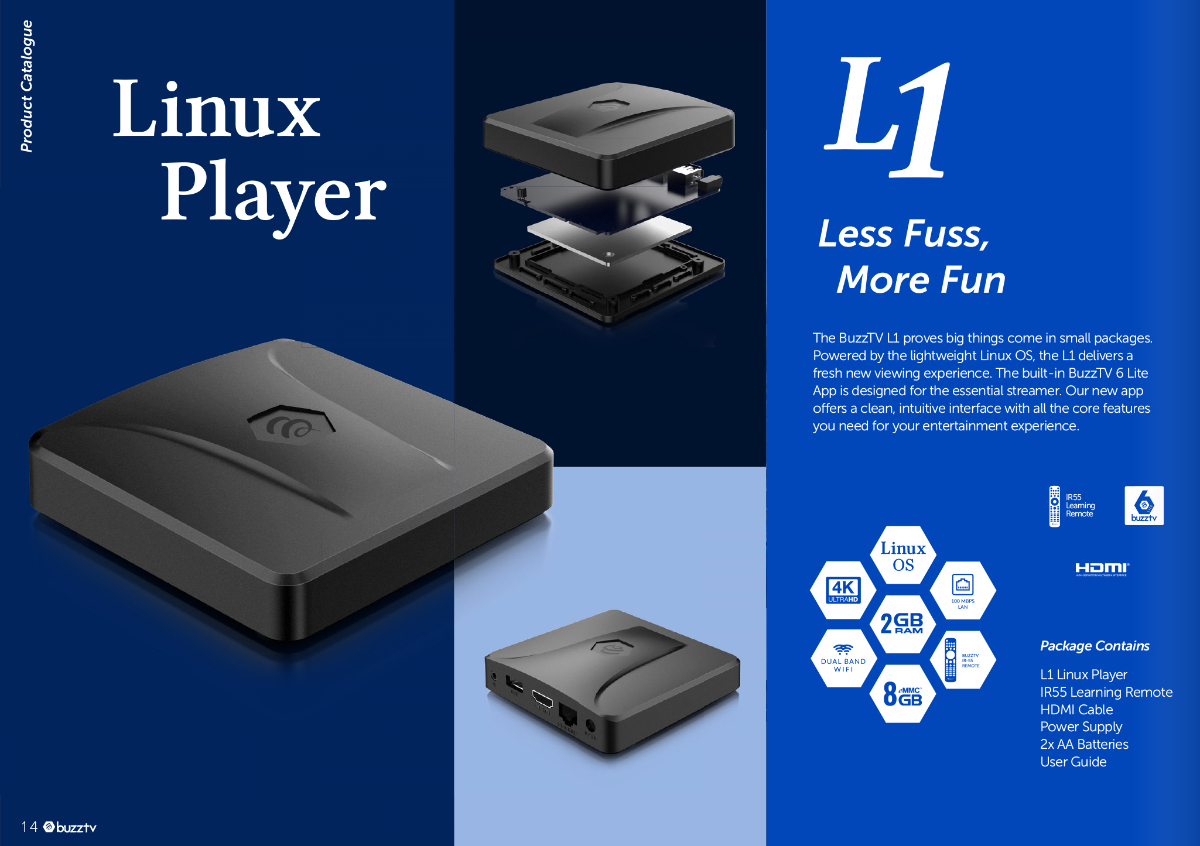

**NEW** L1 Firmware + Buzz 6 App Update V1.0.98 - Jan 18th, 2025
in Linux Player
Posted
From our dev guys
After a reboot device would download new ota after 1hr then it would become available to user once downloaded is done