


dishuser
-
Posts
4,478 -
Joined
-
Last visited
-
Days Won
372
Posts posted by dishuser
-
-
modern not modem

-
 1
1
-
-
2 hours ago, allinghj said:
If you press fast forward quickly and briefly the video jumps ahead per the jump interval. It's usually adjustable.
in vod short press is 10 seconds
long press is whatever you want
live tv using catchup is the same
-
 1
1
-
-
1 minute ago, allinghj said:
Does anyone know how to set the jump interval on The Classic?
what is jump interval?
-
3 hours ago, Hhh said:
Any idea if this is a bug @Emporium?
My supplier is able to see AIR FORCE ONE in his search ( he doesn't use Buzz). I can only see it come in few languages and not English.
I have seen search issues in the past, but just ignored them assuming its not a famous title but there seems to be a problem with the VOD search.
I already posted it works
-
Just now, Hhh said:
I am not seeing subtitles for any player. Primary or Backup. LIVE or VOD.
I even tried with VLC. ( details mentioned above)
maybe the service you use doesn't carry subtitles
-
1
-
-
10 minutes ago, Hhh said:
Here is what I have:-
Buzz TV 5.0.919 Updated on 02/09/2024.
As mentioned, it does not show me any updates to install.
as I said that's current
if it shows subtitles disabled then there isn't subtitles
for live tv I only get subtitles using backup player and the odd channel using primary
-
there is no secondary player
you should be at 5.0.919
-
7 minutes ago, Hhh said:
In Menu - Settings - Configuration I see LIVE TV set to Primary and VOD set to secondary.
If I select them, the only change I can make is change primary to backup and vice versa.
I will take your advice and make change VOD to External - so that it can prompt me - and then I can try VLC, etc.
(I didn't realize using an outside app is better than using Buzz defaults)
you need to update
-
I went to type in air force one and it found it after typing air f
-
are you using the power supply that came with the u5?
-
2
-
-
they have a thread in the correct section
-
3
-
-
did you reboot?
-
25 minutes ago, Harold said:
Yes it does. The OTA update set there for 30 minutes and nothing. If you can't help, don't answer please
no it doesn't
reboot and next time post in the correct section
which would be the u5 section
-
3 minutes ago, Harold said:
It's the answer the other person wanted my speed.
and still has nothing to do with app
-
why are you posting in this section
it has nothing to do with buzztv 5
-
14 minutes ago, Dave J said:
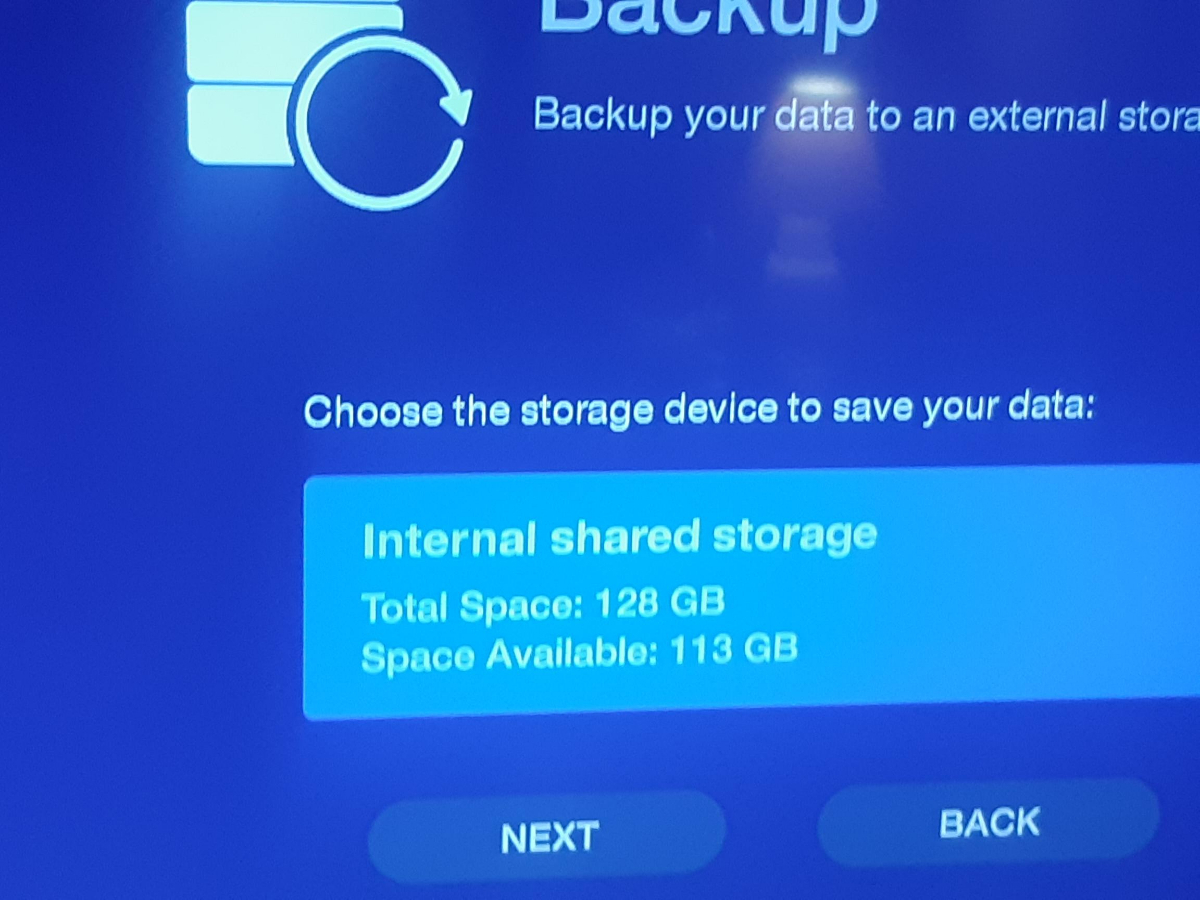
@dishuser, your screenshot is from the BuzzTV5, menu / settings / configuration / Back up and restore, not the one I was commenting on. Oops!
ya you can't do a backup from utilities and use it on a different model
you can backup app settings,servers,favourites and favourite groups and use that on another model
-
1
-
 1
1
-
-
10 minutes ago, Emporium said:
The DATA backup, as we have in BuzzTV 5 app, can be anywhere (internal or external).
However the OLD backup (as was originally available on Android 9 boxes - option under Settings->BuzzTV Utilities), is only to external, since it takes an "image" of the internal drive. Actually I just tried in on my 4500 and E2 (it has been removed on the 4900 - and I think it should be from all others if there is ever another update on them). If you try to launch it with no external storage, it actually gives you a full screen warning that there is no external storage and only option is "ok" to exit the app.
the 4900 never had backup in utlities
-
7 hours ago, Dave J said:
Though I would pass on what I’ve learned about backups on the BuzzTV 5, and the 4500’s with Android 9 (I had both a 4500 and 4500 MAX).
The backup in settings / configuration in BuzzTV 5 backs up your servers, setting and favourites in a zip format which can be transferred to another box.
On the 4500’s under Buzz utilities there is a full system (box) backup and restore feature, and it is unique to the box itself and can’t be used to restore another box.
It can only back up to SD or thumb drive (not internal storage), and if your backup file showed 0 bytes then it’s likely 4 gig or larger, so you need to format as X-fat or NTSF. If you put the card in a PC and run check and repair errors the true file size will populate, but it will still be unusable for restore. Hope that helps. It would be great if Buzz would bring this feature back one day.
this pic proves you wrong

-
2
-
-
15 minutes ago, sea157 said:
That must have been what I did wrong, I used the Buzz utilities backup instead of backup in settings.
That explains why the files were their but showed 0 bytes.
Lesson learned, thanks Dave J
if you back up to internal first it will be for example 15 kb
I had no issues and I can use it on any models that has backup and restore
-
you backup to internal
then you use a file manager to transfer it to stick or card
then it can be used on other boxes
-
C&P
So the Modern Home Screen checks weather every 30 minutes and caches it. We will adjust it to 90 minutes to reduce the requests.The other 3 home screens check the weather every new time you open the home screen. So we need to change that to match what the Modern screen does. These other 3 home screens were made by a different developer, so that's why there is a difference. Our dev team is extremely busy right now though, so they wouldn't be able to make this change for another 2-4 weeks. -
-
use modern
-
you should be at 5.0.919
what home screen are you using?
How to get back Default Home Screen
in BuzzTV 5
Posted
home screen/settings/buzztv utilities
and you already have a thread on this