dishuser
-
Posts
4,470 -
Joined
-
Last visited
-
Days Won
372
Everything posted by dishuser
-
**NEW** Buzz 5 App Update - Version 935 - June 5th, 2024
dishuser replied to allaboutbuzz's topic in BuzzTV 5
you load an m3u epg url file that you have created and saved do you use mac,xc api or m3u for the service you use? -
**NEW** Buzz 5 App Update - Version 935 - June 5th, 2024
dishuser replied to allaboutbuzz's topic in BuzzTV 5
are you in server settings/add m3u playlist and selecting your backup you made? because that won't work -
**NEW** Buzz 5 App Update - Version 935 - June 5th, 2024
dishuser replied to allaboutbuzz's topic in BuzzTV 5
to make sure it worked press same sequence except press restore and you should see your backup -
**NEW** Buzz 5 App Update - Version 935 - June 5th, 2024
dishuser replied to allaboutbuzz's topic in BuzzTV 5
on remote press menu button settings/configuration/backup & restore make sure you pick external storage for backup -
**NEW** Buzz 5 App Update - Version 935 - June 5th, 2024
dishuser replied to allaboutbuzz's topic in BuzzTV 5
don't have it message me here if you want -
doesn't sound like it worx to me
-
so only your opinion matters? are you sure your name isn't kevin?
-
good luck trying to erase
-
I would have 2 bought 2 E5's for that cost
-
**NEW** Buzz 5 App Update - Version 935 - June 5th, 2024
dishuser replied to allaboutbuzz's topic in BuzzTV 5

-
**NEW** Buzz 5 App Update - Version 935 - June 5th, 2024
dishuser replied to allaboutbuzz's topic in BuzzTV 5
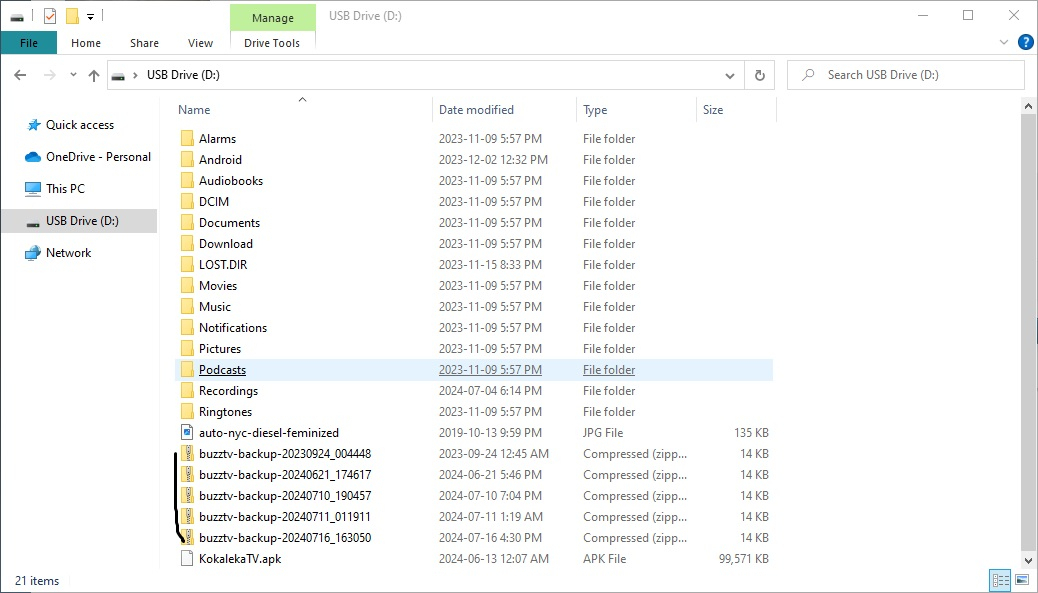
on pc go to file explorer and click my pc and select the drive to see what's on it -
**NEW** Buzz 5 App Update - Version 935 - June 5th, 2024
dishuser replied to allaboutbuzz's topic in BuzzTV 5
are you sure you backed up to usb? cause internal is an option -
that's because it's using a different version
-
sounds like a server problem
- 1 reply
-
- 1
-

-
no issue here using version 4.30
-
**NEW** Buzz 5 App Update - Version 935 - June 5th, 2024
dishuser replied to allaboutbuzz's topic in BuzzTV 5
after initial setup press/menu/settings/configuration to restore buzztv app settings -
**NEW** Buzz 5 App Update - Version 935 - June 5th, 2024
dishuser replied to allaboutbuzz's topic in BuzzTV 5
it doesn't matter reset only affects internal drive -
**NEW** Buzz 5 App Update - Version 935 - June 5th, 2024
dishuser replied to allaboutbuzz's topic in BuzzTV 5
you can use the power button on the box for a hard reset -
**NEW** Buzz 5 App Update - Version 935 - June 5th, 2024
dishuser replied to allaboutbuzz's topic in BuzzTV 5
you can check for updates from home screen as well see what version you have you don't have to go to live tv -
hopefully you stop hoping
-
it's always been like that
-
BuzzTV X5 Supersport Sport - PVR not working
dishuser replied to Patrick MacMullen's topic in X5 Super Sport
also ask your service if recording is allowed they might have it protected from being recorded -
BuzzTV X5 Supersport Sport - PVR not working
dishuser replied to Patrick MacMullen's topic in X5 Super Sport
you don't need to press info to see if it's recording do what nbs. said but first backup your buzztv app to a stick or card -
BuzzTV X5 Supersport Sport - PVR not working
dishuser replied to Patrick MacMullen's topic in X5 Super Sport
if you have one button record turned off scroll to the bottom after pressing red button and save even edit time if you want before saving -
BuzzTV X5 Supersport Sport - PVR not working
dishuser replied to Patrick MacMullen's topic in X5 Super Sport
then you aren't recording are you pressing red button to record?